

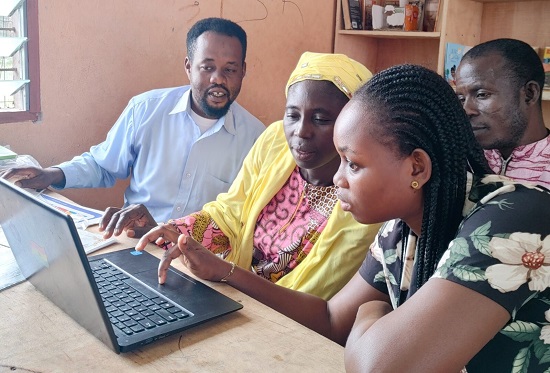
Teaching has become more demanding than ever. Teachers are expected to prepare engaging lessons, assess learners efficiently, communicate with parents, and maintain accurate records, all while adapting to Ghana’s Standard-Based Curriculum (SBC). Fortunately, digital tools can simplify many of these responsibilities without replacing the teacher’s expertise in Ghana.
The challenge for many teachers in Ghana is knowing which tools are genuinely useful and worth learning. With hundreds of educational apps available, it is easy to become overwhelmed or invest time in platforms that offer little value.
This guide highlights the best digital tools every Ghanaian teacher should consider using. Whether you teach in a rural or urban school, these tools can help improve lesson delivery, classroom management, assessment, collaboration, and professional development. Most are free or offer generous free versions suitable for everyday classroom use.
Why Digital Tools Matter in Ghanaian Classrooms
Technology is no longer reserved for computer laboratories. Even schools with limited resources can benefit from simple digital solutions using smartphones, laptops, or shared computers.
In our experience supporting teachers and reviewing classroom practices, teachers who gradually introduce digital tools often spend less time on repetitive administrative tasks and more time focusing on learners. The key is selecting tools that solve real classroom challenges rather than using technology simply because it is available.
Some of the benefits include:
- Faster lesson preparation.
- Better learner engagement.
- Easier assessment and feedback.
- Improved collaboration with colleagues.
- Secure storage of teaching materials.
- Enhanced communication with parents and students.
- Access to continuous professional learning.
Choosing the Right Digital Tool
Before downloading any application, ask yourself these questions:
- Does it solve a real classroom problem?
- Is it easy for learners to use?
- Can it work with limited internet access?
- Is there a free version?
- Will it save time rather than create extra work?
A simple, reliable tool is often more valuable than a feature-rich platform that requires extensive training.
1. Google Classroom
Google Classroom is one of the most effective learning management platforms available to teachers.
It allows educators to create virtual classrooms, distribute assignments, organise learning materials, and communicate with learners from one place.
Best Uses
- Assign homework.
- Share notes and presentations.
- Collect assignments digitally.
- Monitor submission deadlines.
- Provide personalised feedback.
When testing Google Classroom with blended learning environments, many teachers report improved organisation and reduced paperwork.
Why Ghanaian Teachers Should Use It
- Free to use.
- Accessible on smartphones.
- Easy integration with other Google services.
- Suitable for both classroom and remote learning.
2. Google Forms
Assessment is an important part of the Standard-Based Curriculum, and Google Forms makes it significantly easier.
Teachers can create quizzes within minutes and receive automatic marking for objective questions.
Practical Applications
- Weekly quizzes.
- Class surveys.
- Entrance assessments.
- Homework.
- Exit tickets after lessons.
Results are automatically organised, making performance analysis much faster.
3. Microsoft PowerPoint
PowerPoint remains one of the most reliable teaching tools available.
Well-designed presentations help learners understand complex ideas through pictures, animations, diagrams, and short explanations.
Tips for Better Presentations
- Use large fonts.
- Include more visuals than text.
- Avoid overcrowded slides.
- Include classroom activities.
- Add review questions after each section.
Simple presentations often produce better learning outcomes than heavily animated slides.
4. Canva for Education
Creating attractive teaching materials no longer requires professional graphic design skills.
Canva enables teachers to design:
- Posters.
- Worksheets.
- Certificates.
- Flashcards.
- Lesson presentations.
- Classroom decorations.
- Educational infographics.
Many educational templates are available, reducing preparation time.
In our experience, colourful visual resources often increase learner attention, particularly in lower primary classrooms.
5. Google Drive
Losing lesson notes because of a damaged laptop or misplaced flash drive can be frustrating.
Google Drive securely stores files online, making them accessible from multiple devices.
Teachers can organise:
- Lesson plans.
- Assessment records.
- Classroom photos.
- Worksheets.
- Professional documents.
Cloud storage also simplifies collaboration among teachers within the same school.
6. WhatsApp
Although primarily known as a messaging application, WhatsApp has become an essential communication tool for many schools.
Teachers commonly use it to:
- Share announcements.
- Send homework reminders.
- Communicate with parents.
- Coordinate staff meetings.
- Share teaching resources.
However, clear communication guidelines should be established to maintain professionalism.
7. YouTube
Educational videos can transform abstract concepts into practical understanding.
Instead of lengthy explanations, teachers can use carefully selected videos to demonstrate:
- Science experiments.
- Mathematics concepts.
- English pronunciation.
- Historical events.
- ICT practical lessons.
Preview every video before using it to ensure it aligns with lesson objectives.
8. Kahoot!
Keeping learners actively engaged can sometimes be difficult.
Kahoot turns assessment into an interactive quiz competition.
Learners answer questions using mobile devices while teachers receive immediate performance reports.
Benefits
- Encourages participation.
- Provides instant feedback.
- Makes revision enjoyable.
- Increases learner motivation.
It works particularly well during revision sessions before examinations.
9. Quizizz
Quizizz offers another excellent assessment platform.
Unlike traditional paper quizzes, learners complete activities at their own pace while teachers monitor progress in real time.
Features include:
- Automatic marking.
- Homework mode.
- Detailed reports.
- Gamified learning.
- Question banks.
It is suitable for both classroom instruction and home learning.
10. Google Docs
Preparing lesson notes collaboratively has never been easier.
Google Docs allows multiple teachers to edit the same document simultaneously.
Common uses include:
- Scheme of learning preparation.
- Lesson plan development.
- Committee reports.
- School improvement plans.
- Shared teaching resources.
Changes are saved automatically, reducing the risk of losing work.
11. Microsoft Excel
Every teacher manages records.
Excel simplifies:
- Continuous assessment scores.
- Attendance registers.
- Grade calculations.
- Learner progress tracking.
- School data analysis.
Basic spreadsheet skills can save several hours during end-of-term reporting.
12. ChatGPT
Artificial intelligence is becoming a valuable assistant for educators.
When used responsibly, ChatGPT can help teachers:
- Generate lesson ideas.
- Create classroom activities.
- Develop comprehension passages.
- Draft assessment questions.
- Simplify difficult concepts.
- Produce marking guides.
Teachers should always review and adapt generated content to suit Ghana’s curriculum and the needs of their learners.
13. Google Meet and Microsoft Teams
Professional development increasingly takes place online.
These platforms allow teachers to:
- Attend workshops.
- Conduct virtual lessons.
- Hold departmental meetings.
- Collaborate with colleagues.
- Meet parents remotely.
They reduce travel costs while expanding learning opportunities.
Digital Tools for Different Teaching Tasks
Choosing tools based on specific needs makes implementation easier.
Lesson Preparation
- Canva
- PowerPoint
- Google Docs
- ChatGPT
Assessment
- Google Forms
- Quizizz
- Kahoot
- Microsoft Excel
Communication
- Google Meet
- Microsoft Teams
File Storage
- Google Drive
- Microsoft OneDrive
Tips for Introducing Digital Tools Gradually
Many teachers feel they must master every platform immediately.
That is unnecessary.
Instead, follow this approach:
- Learn one tool at a time.
- Practice before introducing it to learners.
- Start with simple classroom activities.
- Evaluate what works well.
- Gradually expand your digital toolkit.
This approach prevents frustration and builds confidence.
Challenges Ghanaian Teachers May Face
Despite the benefits, digital learning has limitations.
Common challenges include:
- Limited internet connectivity.
- High data costs.
- Power interruptions.
- Limited access to devices.
- Varying digital literacy levels.
These challenges should not discourage teachers.
Many of the tools discussed offer offline features or require minimal internet once resources have been downloaded.
Best Practices for Using Digital Tools
Technology should enhance learning rather than distract from it.
Keep these principles in mind:
- Always align technology with lesson objectives.
- Protect learners’ personal information.
- Verify online educational content before sharing.
- Avoid overwhelming learners with too many applications.
- Combine digital resources with practical classroom activities.
- Continue developing your digital skills through training and practice.
Successful teaching still depends on strong instructional skills, positive relationships, and effective classroom management.
The Future of Digital Teaching in Ghana
The Ghana Education Service continues to promote technology integration across schools. As digital infrastructure improves, teachers who build their digital competence today will be better prepared for future classroom innovations.
Schools are increasingly adopting online learning resources, digital assessments, electronic record keeping, and blended learning approaches. Teachers who embrace these changes can improve efficiency while providing richer learning experiences for their students.
Digital tools are not replacing teachers. Instead, they are empowering educators to teach more effectively, personalise instruction, and manage classroom responsibilities with greater confidence.
Conclusion
Digital technology has become an essential part of modern education, and Ghanaian teachers have numerous opportunities to use it to improve teaching and learning. From creating engaging lesson materials to assessing learners more efficiently and communicating effectively with parents, the right digital tools can save time while enhancing educational outcomes.
You do not need to master every platform at once. Begin with one or two tools that address your immediate classroom needs, practise using them consistently, and gradually expand your digital skills. Over time, these technologies can become valuable teaching partners that support—not replace—your professional expertise.
Frequently Asked Questions (FAQs)
What are the best free digital tools for Ghanaian teachers?
Some of the best free tools include Google Classroom, Google Forms, Canva for Education, Google Drive, Google Docs, WhatsApp, Microsoft PowerPoint, Quizizz, Kahoot, and ChatGPT. These tools support lesson preparation, assessment, communication, and classroom management.
Can teachers use digital tools without constant internet access?
Yes. Several applications, including Microsoft PowerPoint, Excel, Google Docs (offline mode), and downloaded YouTube videos, can be used with limited or no internet after initial setup.
Which digital tool is best for assessing learners?
Google Forms is excellent for quizzes and automatic marking, while Quizizz and Kahoot provide interactive assessments with instant feedback and detailed performance reports.
How can teachers start using educational technology effectively?
Start with one tool that solves a specific classroom challenge, such as Google Forms for assessments or Canva for lesson resources. Learn its basic features, apply it consistently, and gradually introduce additional tools as your confidence grows.